Built for
- Operations Manager
- Dispatcher
- Project Manager

Scheduling
Help dispatchers build crew schedules, assign work, review availability, and connect scheduled hours to field records.
Built for
Helps with
Executive summary
Help dispatchers plan daily work, assign crews, review availability, and compare scheduled hours with submitted field records from a shared construction calendar.
Why it matters
Tomorrow’s schedule is not just a list of appointments. A dispatcher needs to know which crew is available, which project is ready, where the work is, and how planned hours compare with field records.
When that context sits outside the calendar, assignments become harder to trust:
Caliche connects scheduling to construction operations so dispatch decisions are made with project, crew, location, assignment, and labor context.
Capabilities
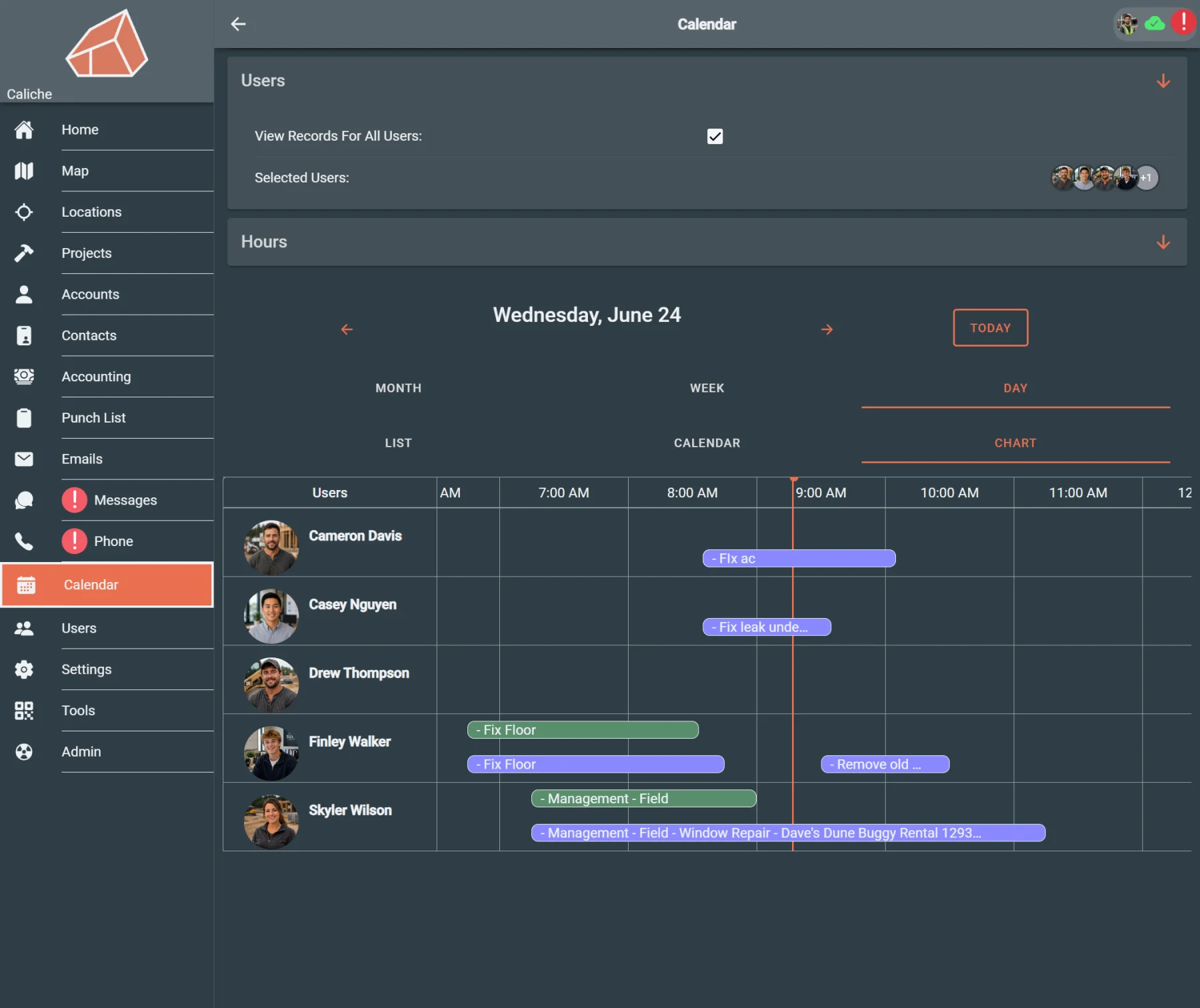
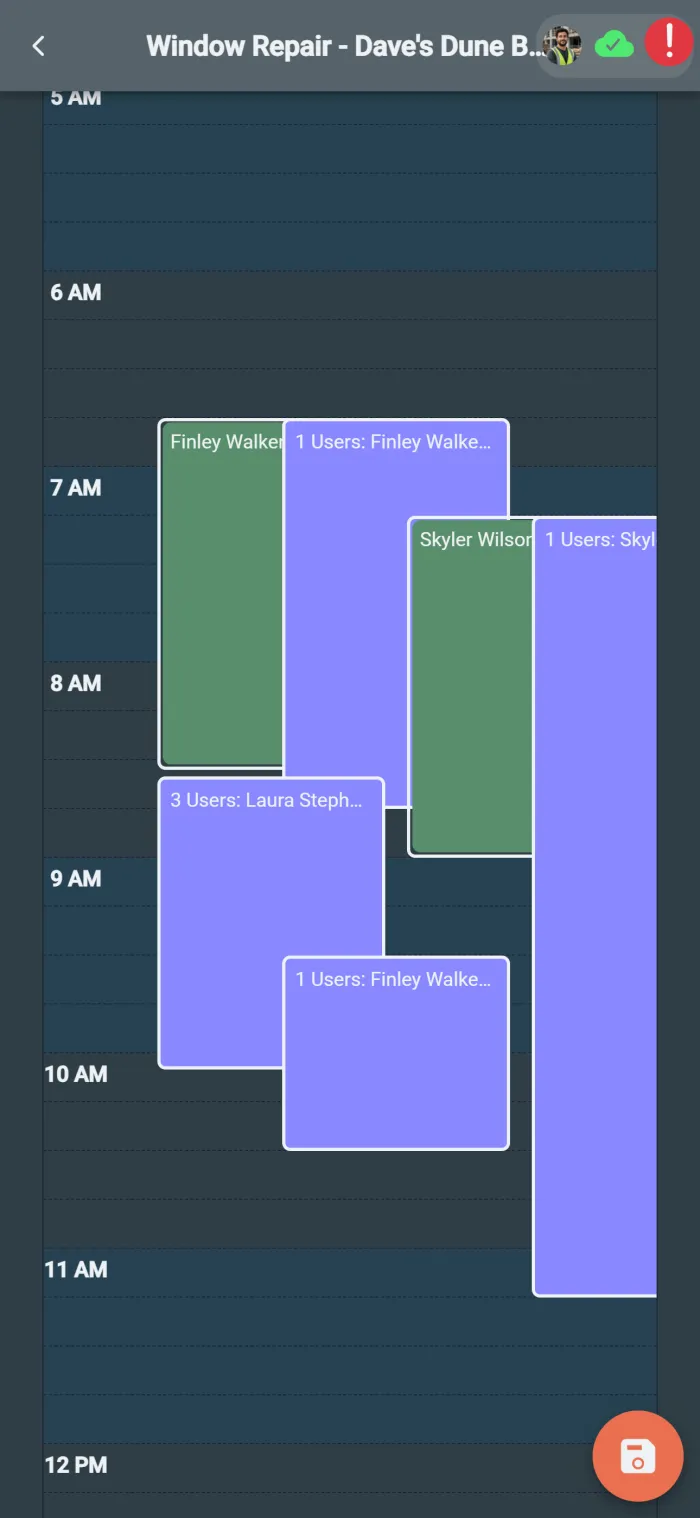
Use the calendar day view to plan work, assign crews, and keep daily schedules visible.
Create schedules with project and assignment context instead of disconnected calendar entries.
Adjust work when weather, crew availability, customer timing, or job readiness changes.
Check availability and schedule context before assigning work to a crew.
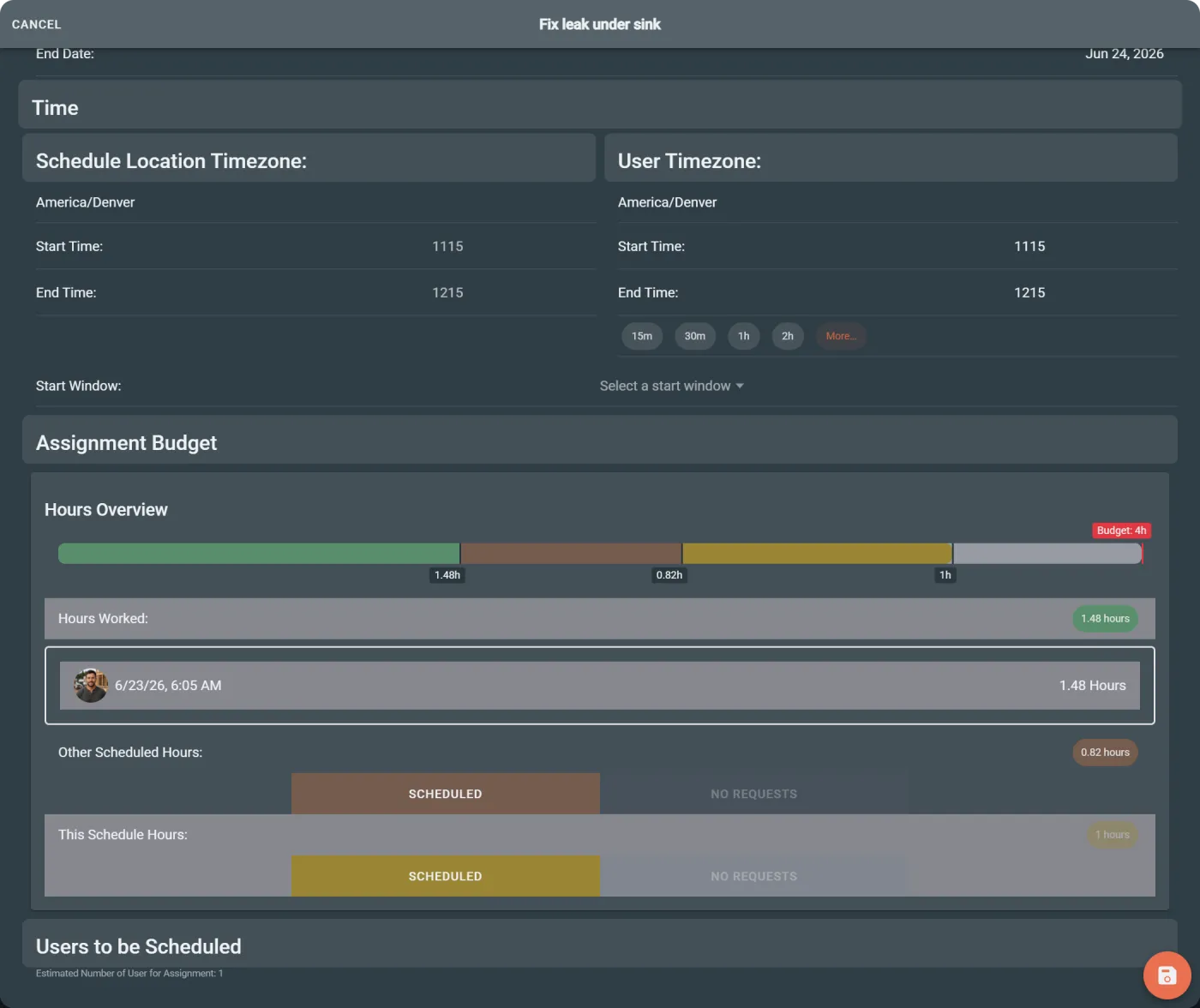
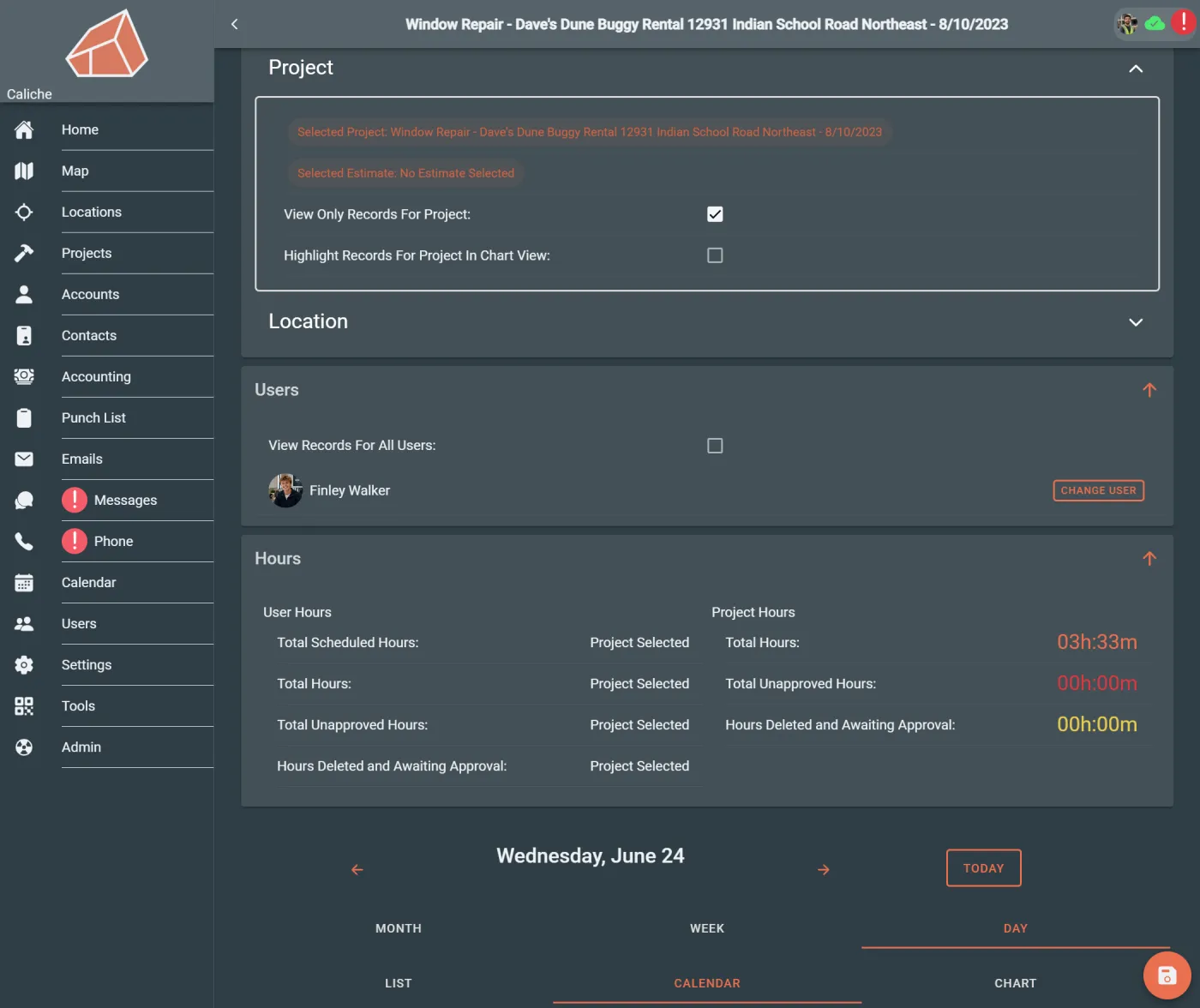
Review scheduled-hour totals alongside field records when labor needs follow-up.
Tie scheduled work back to projects, locations, assignments, and field activity.
Workflow example
A dispatcher is building tomorrow’s schedule. They open the calendar, review planned work, check crew availability, create a schedule for a project, assign the right crew, and review schedule-hour totals before the day is finalized.
Instead of planning from a calendar alone, dispatch can make decisions with project, labor, and location context nearby.
Team outcomes
Who uses this
Questions
No. Scheduling and Dispatch connects calendar planning to assignments, projects, users, locations, availability, and field-hour review.
Yes. Dispatchers and operations managers can use availability and schedule context before committing work to the calendar.
Yes. Scheduled work can be adjusted when crew availability, weather, customer timing, or job readiness changes.
Yes. Scheduled hours and submitted field records can be reviewed together so teams can compare planned work with field activity.
Dispatchers, operations managers, project managers, and office teams use scheduling and dispatch to plan crews, assign work, review availability, and connect schedules to field records.
Next step